
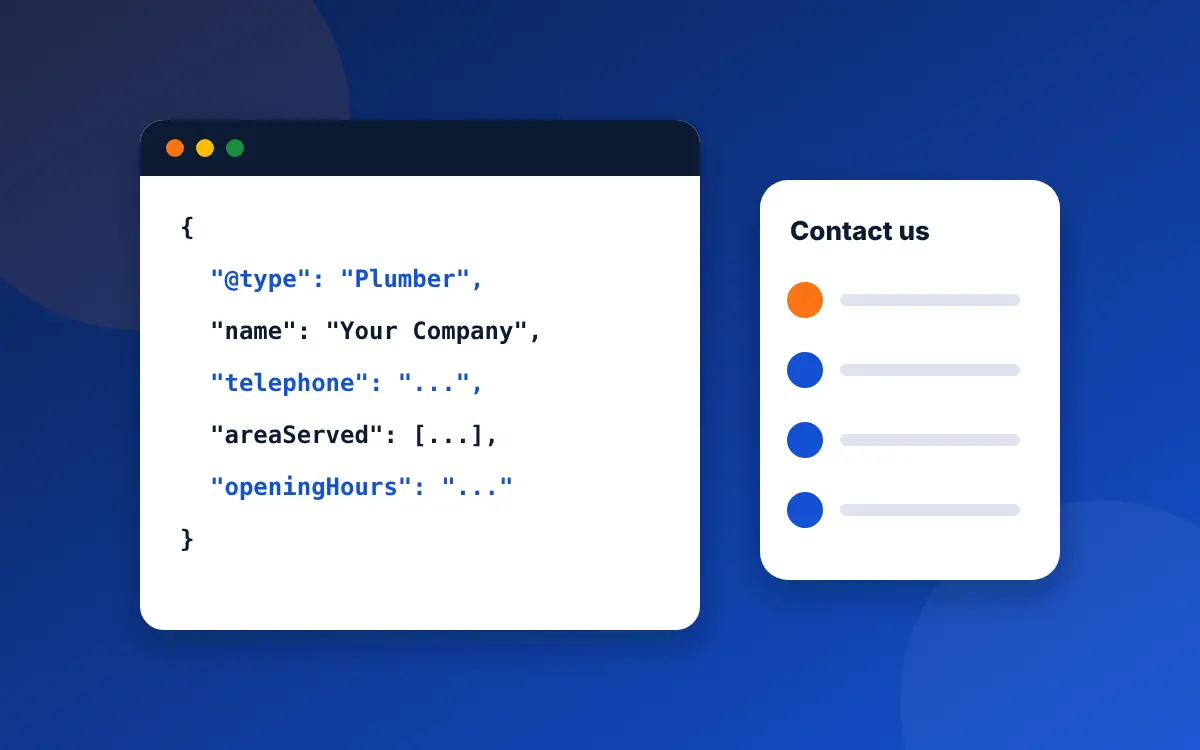
Local business schema is structured data, usually written in JSON-LD, that describes your business to search engines: its type, name, address, phone, hours, location and service area. Contractors should use the most specific type for their trade, such as Plumber or HVACBusiness, and make every value match what visitors can see on the page.
What local business schema does, and what it doesn't
Schema.org is a shared vocabulary that Google, Bing and other search engines read. LocalBusiness is the part of it for businesses with a location or service area. When you add it to your site, you hand search engines your key facts in a format they don't have to interpret.
Be clear on the limits. Google says it "does not guarantee that features that consume structured data will show up in search results". For its AI Overviews and AI Mode, Google says "there's also no special schema.org structured data that you need to add". Schema won't lift you into the map pack by itself; your Business Profile, reviews and distance do most of that work. What it does is confirm your details, connect your website to your business, and describe your services and service area precisely. That matters more as more systems, from search engines to AI assistants, read your site without a human in the loop.
What we found on 20 Tulsa contractor websites
In our October 2026 audit of 20 Tulsa-area contractor websites, structured data was one of the most common gaps:
| Check | Sites that scored zero | Sites with full marks |
|---|---|---|
| Specific business type with location, hours, map link and phone | 6 of 20 | 0 of 20 |
| Service area tied to real, named places | 19 of 20 | 0 of 20 |
| Services described with price information | 18 of 20 | 0 of 20 |
| One connected block of markup with linked parts | 5 of 20 | 8 of 20 |
Most of these sites had some markup. It stopped at the basics, used a generic type, or left out the details that set a contractor apart.
Which schema type should a contractor use?
Google asks you to use the most specific LocalBusiness subtype that fits. Schema.org groups trades under HomeAndConstructionBusiness, which includes:
| Your trade | Schema type |
|---|---|
| Plumbing | Plumber |
| Heating and air conditioning | HVACBusiness |
| Electrical | Electrician |
| Roofing | RoofingContractor |
| Remodeling and general contracting | GeneralContractor |
| Painting | HousePainter |
| Locksmith | Locksmith |
If you do two trades, Google's documentation says to list both types in an array, for example ["Plumber", "HVACBusiness"]. It also notes that additionalType isn't supported for this.
The properties that matter
Google requires two properties and recommends several more. For a contractor, these are the ones worth filling in:
- name (required): your business name, exactly as on your Google Business Profile.
- address (required): Google asks you to include as many address parts as possible. If you hide your street address on Google because customers don't visit, use the city, state, ZIP and country, and don't publish a street address in the code that isn't on your site.
- telephone: your main number with country and area code.
- url: the page for this business or location.
- geo: latitude and longitude, which Google says must have at least five decimal places.
- openingHoursSpecification: your hours. For 24-hour service, Google's format is opens 00:00 and closes 23:59.
- priceRange: a short note on price, under 100 characters.
- areaServed: the towns or counties you cover. This is a schema.org property Google doesn't list, but it describes a service area business precisely.
- sameAs: links to your profiles elsewhere, such as Facebook, Yelp, the BBB and your Google Maps listing.
- logo and image: your logo and a real photo of your team, van or work.
Leave out aggregateRating and review for your own business. Google supports those on LocalBusiness only "for sites that capture reviews about other local businesses", so star ratings you add about yourself won't show as stars in results.
Copy-ready JSON-LD for a contractor
Here is a full example for an imaginary HVAC company. Swap every value for your own, keep the structure, and paste it into the head of your home page or contact page. Values in the code must match what your page shows.
<script type="application/ld+json">
{
  "@context": "https://schema.org",
  "@type": "HVACBusiness",
  "@id": "https://www.examplehvac.com/#business",
  "name": "Example Heating and Air",
  "url": "https://www.examplehvac.com/",
  "telephone": "+1-918-555-0142",
  "logo": "https://www.examplehvac.com/img/logo.png",
  "image": "https://www.examplehvac.com/img/team-van.jpg",
  "priceRange": "Service calls from $89",
  "address": {
    "@type": "PostalAddress",
    "addressLocality": "Tulsa",
    "addressRegion": "OK",
    "postalCode": "74105",
    "addressCountry": "US"
  },
  "geo": {
    "@type": "GeoCoordinates",
    "latitude": 36.09432,
    "longitude": -95.95618
  },
  "openingHoursSpecification": [
    {
      "@type": "OpeningHoursSpecification",
      "dayOfWeek": ["Monday", "Tuesday", "Wednesday", "Thursday", "Friday"],
      "opens": "07:00",
      "closes": "18:00"
    },
    {
      "@type": "OpeningHoursSpecification",
      "dayOfWeek": "Saturday",
      "opens": "08:00",
      "closes": "12:00"
    }
  ],
  "areaServed": [
    { "@type": "City", "name": "Tulsa", "sameAs": "https://en.wikipedia.org/wiki/Tulsa,_Oklahoma" },
    { "@type": "City", "name": "Broken Arrow", "sameAs": "https://en.wikipedia.org/wiki/Broken_Arrow,_Oklahoma" },
    { "@type": "City", "name": "Jenks", "sameAs": "https://en.wikipedia.org/wiki/Jenks,_Oklahoma" }
  ],
  "sameAs": [
    "https://www.facebook.com/examplehvac",
    "https://www.yelp.com/biz/example-heating-and-air-tulsa"
  ]
}
</script>
A few notes on the example. The @id gives your business a fixed identifier, so other blocks on your site can point to it. The sameAs links inside areaServed tie each town to a well-known page about that exact place, so there's no confusion between, say, Jenks, Oklahoma and any other Jenks. The phone number is a 555 test number; use yours.
Add your services
Each service page can carry its own small block that describes the service and points back to the business. This one would sit on a furnace replacement page:
<script type="application/ld+json">
{
  "@context": "https://schema.org",
  "@type": "Service",
  "name": "Furnace replacement",
  "serviceType": "Furnace installation",
  "provider": { "@id": "https://www.examplehvac.com/#business" },
  "areaServed": { "@type": "City", "name": "Tulsa" },
  "offers": {
    "@type": "Offer",
    "priceSpecification": {
      "@type": "PriceSpecification",
      "minPrice": 4500,
      "maxPrice": 9000,
      "priceCurrency": "USD"
    }
  }
}
</script>
Only include a price range if the same range appears on the page. The numbers above are placeholders, not a guide to furnace prices. If you don't publish prices, leave offers out; the rest still helps. Our guide to service pages that rank covers what the page itself should say.
Connect the markup to your Google profile
Two small additions tie your website to your Business Profile. Add a hasMap property with the link to your listing on Google Maps, and include that same link in sameAs. Both are standard schema.org properties. Together with a name, phone and service area that match the profile exactly, they make it plain that the website and the listing belong to one business.
Do the same for your people where it helps. A licensed master electrician who writes your guides can have a Person block on the about page with their name, job title and license, linked to the business with worksFor. That supports the named-author signals Google looks for on advice content, which 15 of the 20 Tulsa sites we audited had no trace of.
If you have more than one location
Each real, staffed location gets its own page and its own LocalBusiness block, with that location's address, phone, hours and map link, and its own @id. Point them at the parent company with parentOrganization. Don't create location blocks for towns where you have no office; those towns belong in areaServed on the location that serves them. Google's Business Profile rules work the same way: one profile per real location, and service areas for the rest.
Mistakes that get schema ignored
- Markup that doesn't match the page. Google's general guidelines say structured data must describe content visible to users. Hours, phone numbers and prices in the code must match the page.
- A generic type. LocalBusiness or Organization when Plumber or Electrician exists.
- Self-awarded star ratings. Covered above; they won't show as stars.
- Several conflicting blocks. A theme, an SEO plugin and a page builder can each add their own markup with different details. Check the page source and keep one.
- The same business block on every city page with a different city as the address. If you only have one office, every page should describe that one business; use
areaServedfor the towns. - Copied code left with someone else's details, including example phone numbers and addresses.
How to add it
- WordPress: SEO plugins such as Yoast, Rank Math and All in One SEO add basic LocalBusiness markup through their settings (some local features are paid add-ons). Check which type they output. For full control, paste your own JSON-LD block using a header code plugin or your theme's header settings.
- Wix and Squarespace: both have a custom code setting for the page header, though some plans limit it.
- Custom sites: add the script block to the page template, ideally generated from the same data as your footer and contact page so they can't drift apart.
How to test your schema
- Paste your page address into Google's Rich Results Test. It shows whether Google can read the LocalBusiness block and flags missing required fields.
- Run the same page through the Schema Markup Validator, which checks every schema.org property, including ones Google doesn't use for rich results, like
areaServed. - Open the page and check by eye that every value in the code appears on the page.
- Recheck after any change to hours, phone or address, and after theme or plugin updates.
Schema is one item on our local SEO audit checklist; work through the profile and content checks first, then add markup that describes them.
Common questions
What is local business schema?
Local business schema is structured data, usually in JSON-LD format, that tells search engines a business's type, name, address, phone, hours, location and service area. It uses the schema.org vocabulary that Google and Bing read, and sits in the page code where visitors don't see it.
What schema type should a plumber or HVAC company use?
Use the most specific type for your trade: Plumber, HVACBusiness, Electrician, RoofingContractor, GeneralContractor, HousePainter or Locksmith, all part of schema.org's HomeAndConstructionBusiness group. If you do two trades, Google says to list both types in an array.
Does local business schema help rankings?
Not directly. Google says it doesn't guarantee features that use structured data will appear, and that no special schema is needed for AI Overviews. Schema confirms your details and describes your services and service area precisely, which supports the profile, reviews and content that drive rankings.
Can I add star ratings to my own LocalBusiness schema?
You can, but Google won't show them as stars. Google supports review and aggregateRating on LocalBusiness only for sites that collect reviews about other businesses. Self-awarded ratings on your own site aren't eligible for star results, so leave them out.
How do I add schema to a service area business with no public address?
Include the address parts you show publicly, such as city, state, ZIP and country, and leave the street out if it isn't on your site. Then list the towns or counties you cover with areaServed, ideally linking each one to a well-known page about that place.
How do I test my schema markup?
Run the page through Google's Rich Results Test to see if Google reads the LocalBusiness block, then the Schema Markup Validator to check all schema.org properties. Finally, compare every value in the code with what the page shows, and recheck after changes to hours, phone or plugins.
Sources
- Google Search Central, Local business (LocalBusiness) structured data, last updated September 8, 2026 (checked October 29, 2026)
- Google Search Central, General structured data guidelines (checked October 29, 2026)
- Google Search Central, AI features and your website (checked October 29, 2026)
- Schema.org, HomeAndConstructionBusiness, areaServed and Service
- Realo audit of 20 Tulsa-area contractor websites, October 18, 2026 (unpublished data, businesses not named)
Check what your markup says about you
The free audit reads your site's structured data and flags anything that is missing, generic or contradicts your page.
Get my free audit