
Google suspends a Business Profile when it finds a breach of its guidelines, and the fix is to correct the problem, gather proof the business is real, and file one complete appeal in Google's appeals tool. Don't create a new profile for the same business while you wait, because Google says that makes things worse.
What a suspension means
Google's help page says it "may suspend or disable Business Profiles that don't follow our guidelines." The term covers several different outcomes, and the one you have decides what to do next. Forums talk about "soft" and "hard" suspensions. Google's page doesn't use those terms. It describes what happens instead.
| What happened | What you lose | What reinstatement gives back |
|---|---|---|
| Your profile was removed | The public can't see it, and you can't manage it | The profile, plus its owner and managers |
| Your owner account was removed | Every location that account owns | The account and all its locations |
| A manager account was removed | That manager's access only. The locations stay as they are. | The manager's access |
| Your account has a restriction | Managed profiles are suspended, and you can't create or claim others | Normal use, once the restriction is lifted |
Open your Business Profile dashboard and read the notice. The appeals tool also shows the decision date, the reason, the policy Google says you broke and whether the decision can be appealed.
Why contractors get suspended
Google rarely spells out the exact rule in the first notice. These are the breaks that catch home service companies most often, each from Google's guidelines for representing your business:
- Extra words in the name. The name should reflect your real-world name. Taglines, hours, phone numbers and location details don't belong there, and Google says unnecessary information "could result in the suspension of your Business Profile." "Ridge Roofing" is fine. "Ridge Roofing Tulsa Best Roofer 24/7" is a problem.
- An address that doesn't qualify. P.O. boxes and mailboxes at remote locations aren't acceptable. A virtual office isn't eligible, and a service-area business can't list one unless it's staffed during business hours.
- Showing a home address as a storefront. If customers don't come to you, set the profile up as a service-area business and hide the address.
- More than one profile for one location. Google says not to create more than one page for each location of your business.
- Hours that don't match customer-facing hours. List the hours customers can reach you, not the hours the crew starts.
- Categories that describe what you sell, not what you are. Google asks for categories that complete "This business IS a" and for as few as possible.
- Links or promotions in the description. Descriptions can't include links and shouldn't focus on prices or promotions.
Google's guidelines page doesn't cover fake reviews. Those fall under its separate content policies, so check them too if you've bought or traded reviews. Edits can also trigger trouble: a new name, address or category sometimes sends a profile back for review. We cover that in why your business isn't showing on Google Maps.
What to do first
Google's own first steps are short: confirm the profile follows every guideline, gather supporting evidence, and don't create a new profile for the same business.
- Read the notice and note the reason. Screenshot it. You'll want it for the appeal.
- Compare your profile with the list above. Fix anything that breaks a rule before you appeal. Appealing with the same problem still in place wastes your one attempt.
- Check that your details match everywhere. Name, address and phone should be identical on your website, your documents and your profile.
- Do not start a second profile. It splits your reviews, and Google tells owners not to do it.
The evidence to gather before you appeal
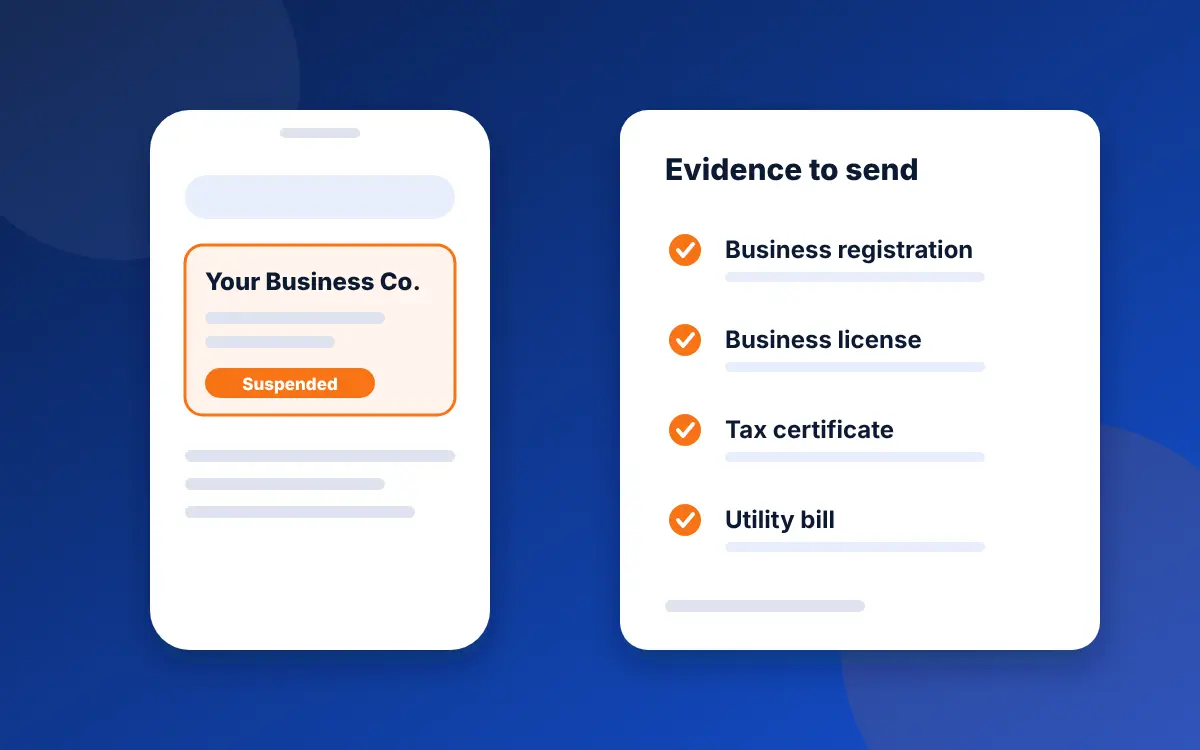
Google lists the documents that can help. Pick the ones that show the business exists at the name and address on the profile.
- Official business registration
- Business license
- Tax certificates
- Utility bills for electricity, phone, water or internet
Google asks that the business name and address on every document match your registration. If your license says "Ridge Roofing LLC" and your profile says "Ridge Roofing and Restoration," fix the profile name first. Photos of your signage, a work vehicle with the name on it, and a website that shows the same details are useful extras, though Google doesn't list them as required.
How to appeal, step by step
- Open the Business Profile appeals tool from Google's help page and confirm the Google account linked to the profile.
- Select the profile, then the decision you want to appeal.
- Add your evidence and a short, plain explanation. Say what the business is, where it works and what you changed. Skip the anger.
- Tick the readiness box and submit.
Google emails the decision. It says an appeal can only be submitted once, so don't send it half-finished. The tool shows one of these statuses: Submitted, Approved, Not Approved, Can't be appealed, or Eligible for appeal.
Two special cases. If your account is restricted, appeal the restriction on the My accounts restrictions page first, then appeal the profile after it's lifted. If you manage ten or more suspended profiles, Google has a bulk appeal option that takes a spreadsheet of Business Profile IDs with your documents.
Google's page gives no review time, so don't trust anyone who promises a number. If the appeal is denied, Google says it may run an additional review when you send new evidence that wasn't in the first appeal, through its local appeals contact form.
What not to do
- Don't pay a "reinstatement service." The appeals tool is free, and only Google can approve an appeal.
- Don't open a new profile. Google tells owners not to.
- Don't fake documents or addresses. It can turn a fixable mistake into a much bigger one.
- Don't keep editing the suspended profile. Make your fixes once, check them against the guidelines, then appeal.
- Don't file the appeal in a hurry. One attempt is all you get per decision.
How to avoid a suspension
- Keep the profile name identical to your signage, license and website.
- Hide your address if customers never visit you.
- Keep your service area to what you can serve. Google says the overall area shouldn't extend farther than about two hours of driving time from where you're based.
- Change one detail at a time, and only when the change is true.
- Keep a folder with your registration, license, tax certificate and a recent utility bill, so you're ready to appeal quickly if it happens.
- Work through our Business Profile checklist every quarter.
A clean profile also helps with AI search. Assistants such as ChatGPT draw on map and listing data, and a suspended or inconsistent profile gives them less to trust. See where ChatGPT gets local business information. Once you're back, how to rank higher on Google Maps covers climbing the map pack again.
Common questions
Why was my Google Business Profile suspended?
Google suspends profiles that break its guidelines. For contractors the usual causes are extra words in the business name, a P.O. box or virtual office address, a home address shown on a service-area business, more than one profile for one location, and edits that trigger a review. Google doesn't always name the exact rule, so compare your profile with its guidelines.
How do I get my Google Business Profile reinstated?
Fix the problem, gather proof that the business is real, then file one appeal in Google's Business Profile appeals tool. Useful documents include your business registration, business license, tax certificates and utility bills, with the name and address matching your profile.
How long does a Google Business Profile appeal take?
Google's help page doesn't give a review time. It says you'll get the decision by email. Be cautious of anyone who promises a fixed number of days.
Can I appeal a suspension more than once?
Google says an appeal can only be submitted once per decision, so make it complete. If it's denied, Google may do an additional review when you send new evidence that wasn't in the first appeal.
Should I create a new Business Profile if mine is suspended?
No. Google says not to create a new Business Profile for the same business. A second profile splits your reviews and can cause more problems.
Do I need to pay someone to reinstate my profile?
No. The appeals tool is free and only Google can approve an appeal. A marketing company can help you gather evidence and fix the profile, but nobody can promise a reinstatement.
Sources
- Google Business Profile Help, Fix suspended or disabled profiles (checked November 2, 2026)
- Google Business Profile Help, Guidelines for representing your business on Google (checked November 2, 2026)
Is your profile one edit away from a suspension?
The free audit checks your name, address, categories and service area against Google's rules and tells you what to fix first.
Get my free audit